20 Best Free Startup Kits For Small Business Owners In 2025
Starting a small business takes more than just an idea it requires tools, resources, and guidance to move from concept to launch. For new entrepreneurs working with limited budgets, free startup kitscan provide vital support.
These kits often include planning templates, branding tools, legal resources, financial trackers, and more, helping business owners get started without hiring experts or purchasing expensive software. This list features 20 of the best free startup kits, handpicked for their quality, relevance, and ease of use.
1. SCORE Startup Roadmap

The SCORE Startup Roadmap is a structured, free resource that walks you through every stage of starting a small business. Designed by experienced mentors and supported by the U.S. Small Business Administration, it includes guides for business planning, marketing strategy, funding, and operational setup. Each phase contains practical worksheets and templates, making it easier to turn your ideas into a functioning business.
What's especially valuable about this roadmap is the personalized support. When you sign up, you gain access to a network of volunteer business mentors who provide free one-on-one advice. These mentors have real-world experience and can guide you through common challenges. Whether you’re refining your business idea or preparing to launch, this startup kit keeps you on track.
2. Shopify Business Starter Kit
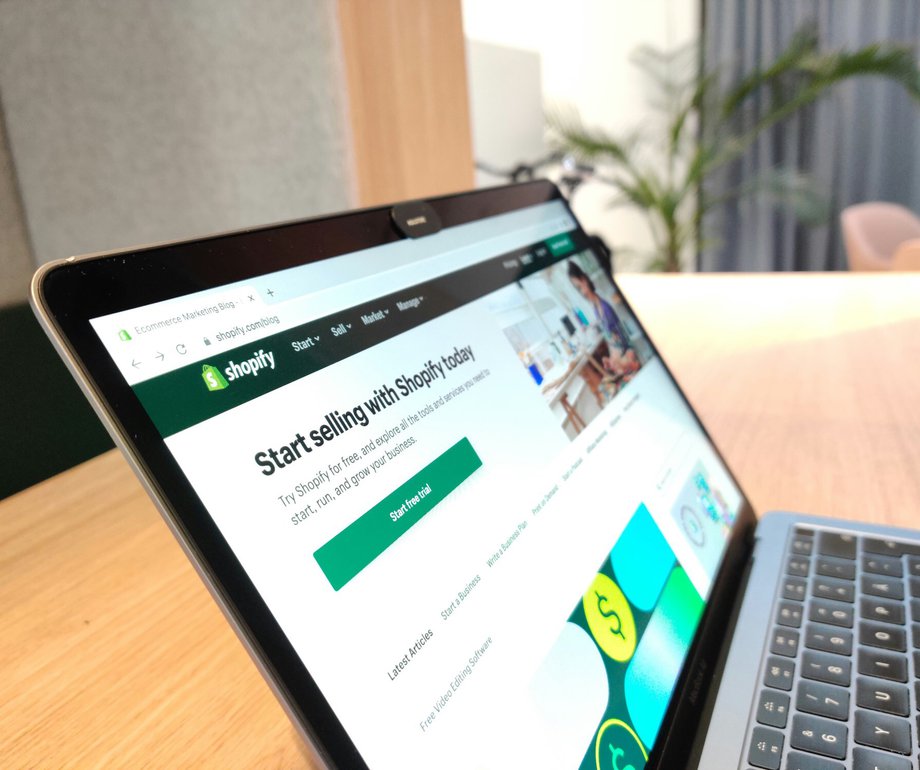
Shopify’s Business Starter Kit offers a variety of tools that help you launch and brand an online store quickly. It includes a business name generator, logo creator, slogan maker, and step-by-step tutorials tailored for e-commerce entrepreneurs. Even if you don’t end up using Shopify’s paid platform, the tools provided are incredibly helpful during the early planning phase.
This kit is especially useful for product-based business owners aiming to sell online. The brand-building tools save time and offer instant visual elements for social media, packaging, and websites. Combined with Shopify’s startup checklists and blog tutorials, it’s one of the most beginner-friendly kits for new online business owners.
Continue Reading - How To Use Free Startup Kits To Launch Your Business
3. HubSpot For Startups
HubSpot offers a free suite of business tools that’s ideal for managing relationships, automating marketing, and tracking growth. The startup kit includes a customer relationship management (CRM) platform, email marketing tools, form builders, and ad management, all at no cost. These tools are especially useful for new businesses that want to build a customer base and manage leads efficiently.
The tools also integrate seamlessly, allowing you to monitor customer interactions, sales pipelines, and website performance in one place. Even if you’re new to digital marketing, HubSpot’s tutorials and easy interface help you learn quickly. It’s a solid foundation for building long-term customer engagement and growing your audience organically.
4. Mailchimp
Mailchimp’s free marketing kit is a smart choice for small businesses needing to reach customers via email and social platforms. It includes tools for building email lists, designing marketing emails, and setting up automated campaigns like welcome messages or product launches. You also get access to a drag-and-drop email builder, making professional design simple.
Mailchimp’s analytics help you understand what’s working. You can track open rates, click-throughs, and conversions, helping you refine your approach over time. For small business owners who aren’t marketing experts, this kit offers a clear, effective way to build customer relationships from day one.
5. Canva
5 Canva Must-Knows for New Business Owners You’ll Wish You Knew Sooner!
The Canva branding kit makes it easy to create a consistent, professional look for your small business. With thousands of free templates for logos, business cards, social media posts, and presentations, Canva helps you establish a visual identity that suits your brand personality. No design experience is needed, just pick a template and customize it.
Beyond basic branding, Canva also offers a style guide feature that lets you lock in your colors, fonts, and logos for future projects. This is perfect for entrepreneurs managing everything themselves and trying to maintain a cohesive appearance across platforms. You can also download assets for print or digital use, streamlining your launch.
6. Google Workspace Essentials Starter
Google Workspace Tutorial For Small Business 2025 - [Professional Email, AI, Collaboration & Tools]
Google Workspace Essentials provides access to Docs, Sheets, Slides, Meet, and Drive all for free. These tools allow you to create and store business plans, presentations, spreadsheets, and other documents in the cloud. You can share files and collaborate in real time, which is ideal if you’re working with partners or remote teams.
Beyond file creation, Google’s tools help you stay organized. Use Sheets to track budgets, Docs for contracts, and Drive for secure file storage. Google Meet also makes virtual meetings easy and reliable. With everything connected under one account, it’s a streamlined solution for staying productive on a tight budget.
7. Trello Startup Kit Template
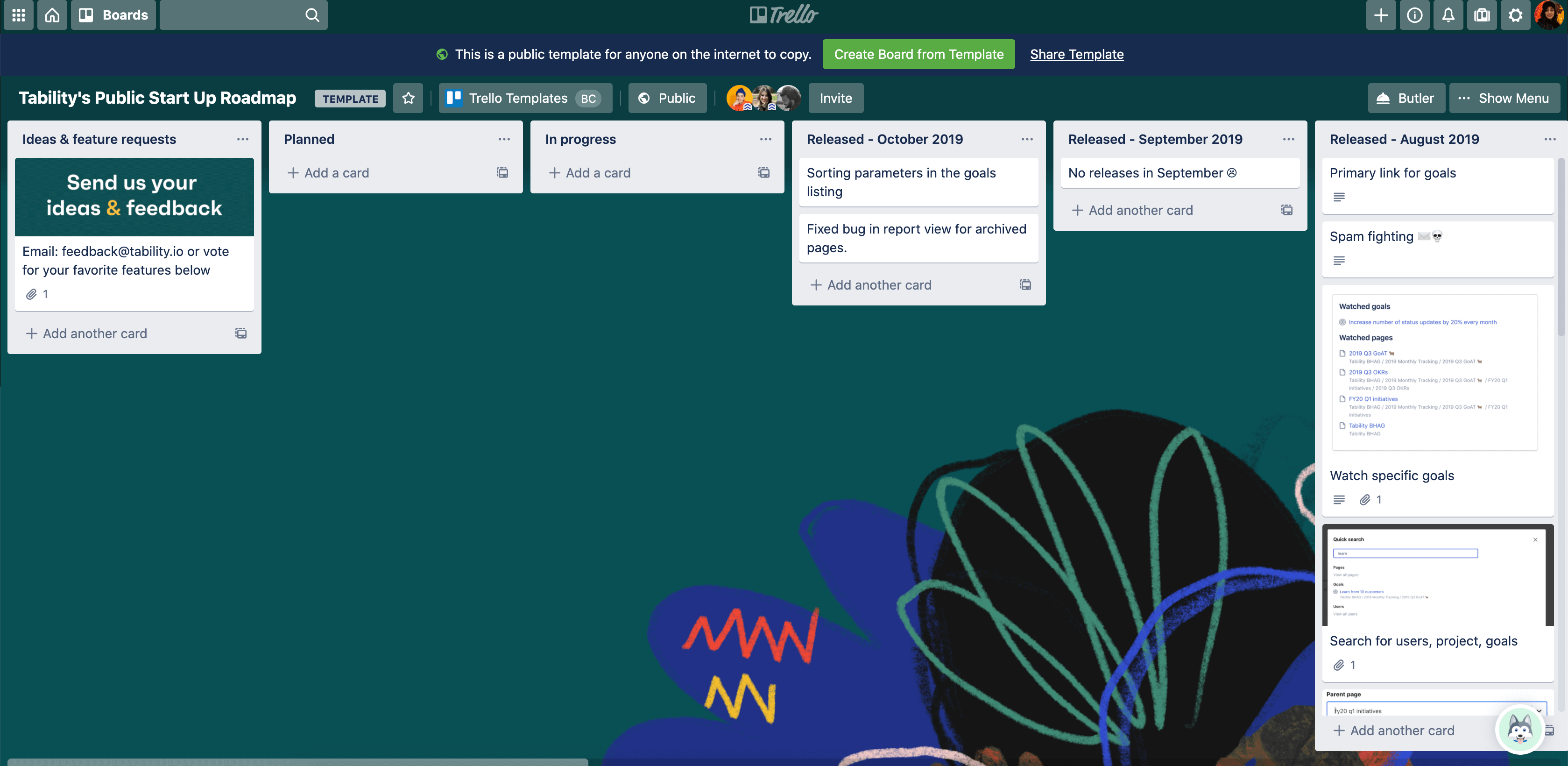
Trello offers a startup board template that helps entrepreneurs visualize their goals and tasks. It uses a card-based system where you can break down ideas, prioritize tasks, and manage workflows. The kit includes preset columns for planning, researching, launching, and growing your business, saving you time and giving your work structure.
This visual tool is especially helpful for founders juggling multiple responsibilities. You can collaborate with co-founders, set deadlines, and attach documents all in one place. Trello’s flexibility allows you to tailor the kit to your specific business model, whether you're running a solo venture or managing a small team.
8. LegalZoom Startup Resource Center
LegalZoom’s free resources cover the legal side of launching a business, often one of the most confusing areas for new founders. The kit includes downloadable templates for NDAs, service agreements, and operating agreements. You’ll also find checklists and guides on choosing the right business structure, registering a company, and complying with local laws.
While LegalZoom also offers paid services, many of its basic documents and learning materials are available without charge. This makes it a great option for entrepreneurs needing legal clarity before speaking with a lawyer. You can use the materials to make informed decisions and avoid common mistakes in early setup.
9. Microsoft 365 Free Plan (Includes Teams)
Choose a Microsoft 365 business subscription
Microsoft’s free online versions of Word, Excel, PowerPoint, and Teams offer strong tools for business productivity. These cloud-based tools let you write documents, analyze data, make presentations, and hold virtual meetings. You also get access to OneDrive for file storage, which ensures everything is backed up securely.
Small business owners familiar with Microsoft products will feel at home here. The integration between tools makes it easy to move between creating content, collaborating, and sharing. Teams is especially useful for internal communication, making it easy to stay in touch with your team or partners even when working remotely.
10. Asana Startup Launch Kit
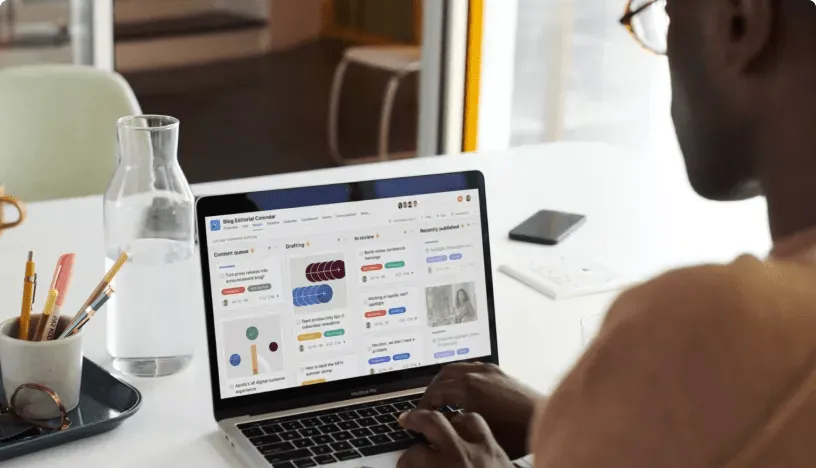
Asana’s free plan is built for managing complex projects with ease. Its startup kit includes templates for business planning, content scheduling, and team collaboration. Tasks can be organized by priority, deadline, or team member, which helps entrepreneurs stay focused and avoid missed deadlines.
The clean interface makes it easy to break down your launch into steps. You can assign responsibilities, set milestones, and track your overall progress. With features like recurring tasks and visual timelines, Asana is especially helpful for product-based businesses or startups preparing for a major launch.
11. FreshBooks Free Invoice Generator
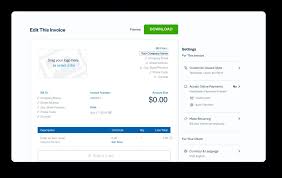
FreshBooks offers a sleek, free invoice generator that's perfect for service-based businesses or freelancers. The tool lets you customize invoices with your logo, client details, service descriptions, and payment terms. You can then download a professional PDF or email it directly to your client.
While it's just one tool, invoicing is critical to early cash flow, and this generator makes it stress-free. If you’re billing multiple clients or offering recurring services, a clean and branded invoice boosts your credibility and helps maintain consistent records. It’s especially useful in the early days before upgrading to a full accounting suite.
12. Hootsuite
How To Use Hootsuite For Beginners 2025 (Social Media Management For Your Business)
Hootsuite’s free plan lets you connect two social media accounts and schedule up to five posts at a time. While limited compared to its paid version, it’s still useful for small startups building an online presence. The platform’s user-friendly dashboard helps you monitor engagement and plan content with ease.
Consistent posting is key to staying visible online, and Hootsuite simplifies that process. It helps reduce the mental load of daily social media management, allowing you to stay organized and track your brand’s performance across platforms. For early-stage businesses, it’s an effective way to manage social presence with minimal effort.
13. AnswerThePublic
How to use AnswerThePublic for Content Ideas | For Beginners
AnswerThePublic is a powerful tool for understanding what your audience is asking online. It visualizes search queries related to your keywords, offering valuable insights into your customers’ needs, problems, and curiosities. The free version allows limited searches per day, but even one search can yield dozens of topic ideas.
For content marketersand business planners, it’s like having direct access to your customer’s mind. Use the insights to craft product descriptions, blog posts, social media content, and FAQs that address real concerns. It saves you hours of guessing and gives your startup a strong content foundation based on real user intent.
13. SEMrush Free Plan
SEMrush offers a limited free plan that includes keyword research, site auditing, and traffic analytics tools. While the full suite is premium, the free version is still incredibly helpful for small businesses aiming to understand their online competition and SEO opportunities. You can track domain performance, backlinks, and ranking trends.
For startups that want to get serious about SEO, SEMrush is a valuable first step. You can identify what’s working for your competitors and adjust your strategy accordingly. Even with limited access, the depth of data SEMrush provides gives small business owners a big-picture view of their digital landscape.
14. Pixabay
Pixabay is a free resource for high-quality, royalty-free images, videos, and illustrations. Perfect for website design, social media graphics, presentations, and blog posts, the content can be used commercially without licensing issues. It’s a great alternative to paid stock image sites and doesn’t require attribution in most cases.
Visual branding is vital for startups, and Pixabay helps you look professional without blowing your budget. Whether you're designing a homepage banner, product brochure, or email header, the platform offers a wide selection of modern, relevant media assets that help build trust and credibility with your audience.
15. Loom Free Plan

Loom offers a free screen recording and video messaging tool ideal for team communication, customer onboarding, or content creation. With Loom, you can record your screen, voice, and camera simultaneously, creating personalized walkthroughs or tutorials. The free plan includes 5-minute videos and up to 25 videos in your library.
Startups benefit from Loom by making internal communication more efficient or by adding a human touch to customer support and outreach. Instead of long email threads or calls, a short Loom video can explain a complex issue in minutes. It’s an excellent tool for building transparency and saving time.
16. WordPress
WordPress offers a free website builder and content management system that powers over 40% of the web. With access to thousands of free themes and plugins, it enables you to launch a functional business website without any coding. The platform is ideal for blogs, portfolios, or eCommerce when paired with WooCommerce.
As your business grows, WordPress can scale with you. The free plan is enough to get started, and upgrading is easy when you need more features. The flexibility, open-source nature, and vast community support make WordPress a top pick for startups who want complete control of their website.
Also See - Top Free Startup Courses And Tutorials
17. Google Drive
Google Drive for Small Business
Google Drive offers 15GB of free cloud storage and seamless integration with Docs, Sheets, Slides, and Gmail. It’s an excellent place to store business documents, collaborate in real time with teammates, and back up critical files. With mobile and desktop access, you can work from anywhere.
For startups, Google Drive becomes your digital filing cabinet. It's secure, easy to organize, and simplifies sharing documents with clients or partners. From creating invoices in Google Sheets to drafting proposals in Docs, it provides the core productivity tools every business needs all in one place.
18. Zapier
Zapier automates repetitive tasks by connecting your favorite apps like Gmail, Slack, Trello, and over 3,000 others. The free plan includes up to 100 tasks per month and five single-step automations, which is more than enough for small teams managing basic workflows.
For startups trying to maximize efficiency, Zapier can save hours. Whether it’s auto-sending emails when new leads come in, updating spreadsheets, or syncing data between apps, it reduces the need for manual input. As your business scales, these automations will keep you focused on growth instead of admin work.
19. Google Business Profile

Setting up a free Google Business Profile is one of the smartest moves a new business owner can make. It ensures your business appears on Google Search and Maps, allowing potential customers to find your hours, location, website, photos, and reviews instantly. Verified businesses gain higher credibility and visibility, especially for local searches.
This tool isn’t just a listing, it’s a mini digital storefront. You can share updates, respond to reviews, and even message customers directly. For local or service-based startups, it’s a game-changer in building trust and attracting walk-in or online traffic. With no cost and major SEO benefits, it’s essential for online presence.
20. Slack
Slack is a powerful communication tool that helps small teams stay organized and collaborate effectively. The free plan allows you to create channels for projects and send direct messages, while integrating with apps like Google Drive and Trello ideal for businesses needing a centralized communication platform.
If you're switching careers to pursue your business dream, it can be overwhelming, especially without prior experience. However, strategies like leveraging transferable skills and understanding industry demands can ease the transition. A guide on successfully switching career pathsprovides valuable steps for managing both your career shift and new business venture.
People Also Ask
Are There Risks To Using Free Startup Kits?
Free tools may have limitations, like restricted features, ads, or data privacy concerns. Research providers, read terms of service and back up data to mitigate risks. Choose reputable platforms like Google or HubSpot to ensure trustworthiness.
What Should I Look For In A Good Free Startup Kit?
A good free startup kit should include easy-to-use tools for business planning, budgeting, marketing, and branding. It should also offer educational resources to guide you through the legal and operational setup of your business.
Can Free Startup Kits Help Me With Branding My Business?
Many free startup kits include branding tools, such as logo generators, color scheme selectors, and business name generators. These resources can help you establish a strong brand identity from the beginning.
Final Thoughts
Starting a business doesn’t mean you have to start from scratch. These free startup kits are designed to give you a head start without spending a penny. From branding and marketing to legal paperwork and organization, you’ll find everything you need to build your business confidently. Use the kits that suit your needs best, take action, and make the most of the powerful resources already available to you.